

















TRUSTED GLOBALLY

UI Design Services for Small and Growing Businesses

UI design is useful when a website feels dated, an application has grown inconsistent, a new product needs a credible visual direction, or developers are repeatedly inventing styles screen by screen. It supports service businesses, online retailers, SaaS founders, mobile products and growing teams that already understand the basic journey but need the interface to communicate more clearly. We can redesign one important part of the experience or create a consistent interface system for the entire website or application.

Some of the organizations we work with
airtel
bcb
emtv
giet
good
jamba
lemarche
puma
secrett
talend
tmn
xedign
barista
cotton
fishbowl
giet-architecture
greenfair
juniper
linberg
roses
songeist
the-bermudian
uno

Influxive at a Glance

A global partner for what's next.

15+

Years of Experience

Deep expertise in enterprise technology and digital transformation.

500+

Projects Delivered

Across industries, platforms and markets.

20+

Countries Served

Trusted by growing businesses and global enterprises.

Global

Delivery Model

Flexible, collaborative and built for scale.

Experience Across Platforms

Web, mobile, commerce, cloud and application environments.

Agile Delivery

Iterative stages, regular reviews, continuous testing and visible decision points.

Trusted Worldwide

Organizations across 20+ countries, including Fortune 500 enterprises.

Full-Cycle Product Delivery

Business analysis, UI/UX design, engineering, testing and post-launch maintenance.

Where Customers Get Stuck

Is the Experience Making Customers Work Too Hard?

A visually polished interface can still create friction. These common problems make websites and applications harder to understand, use and maintain.

The Website Looks Like Everyone Else

A template makes the business appear interchangeable even when its service is distinctive.

Customers Do Not Know Where to Look

Every heading, card and button competes at the same volume.

The Mobile Layout Feels Compressed

Desktop elements are stacked without reconsidering order, spacing or touch use.

Buttons and Forms Keep Changing

Controls look or behave differently across pages, which slows customers and developers.

The Brand Disappears Inside the Product

The logo and color are present, but the experience still feels generic.

Ready to Solve These Challenges?

Tell us what is holding your business back, and we will help define a practical way forward.

Start a conversation
From Inconsistent Screens to a Recognizable Interface System
Our Solution

The Influxive Approach

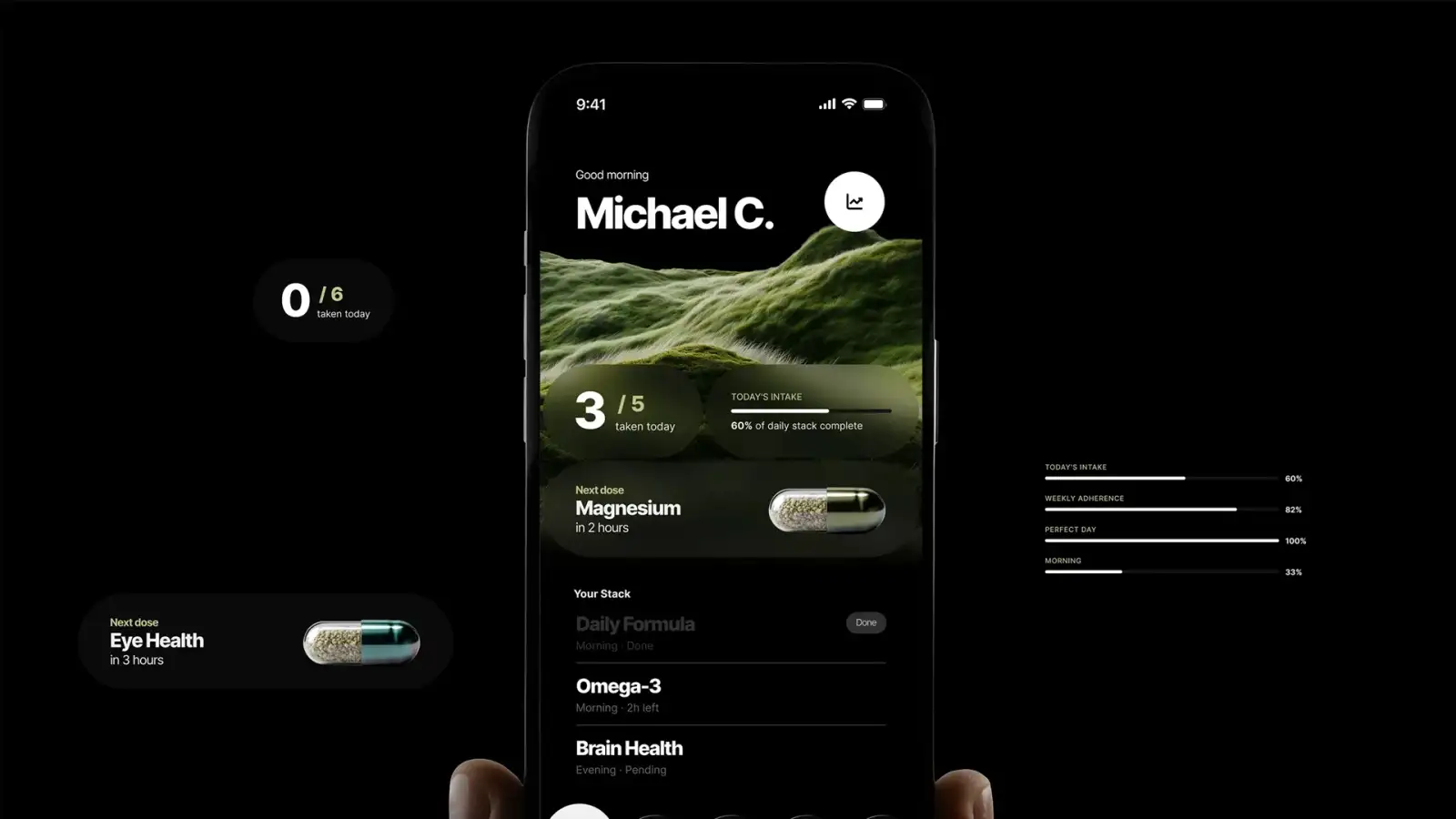
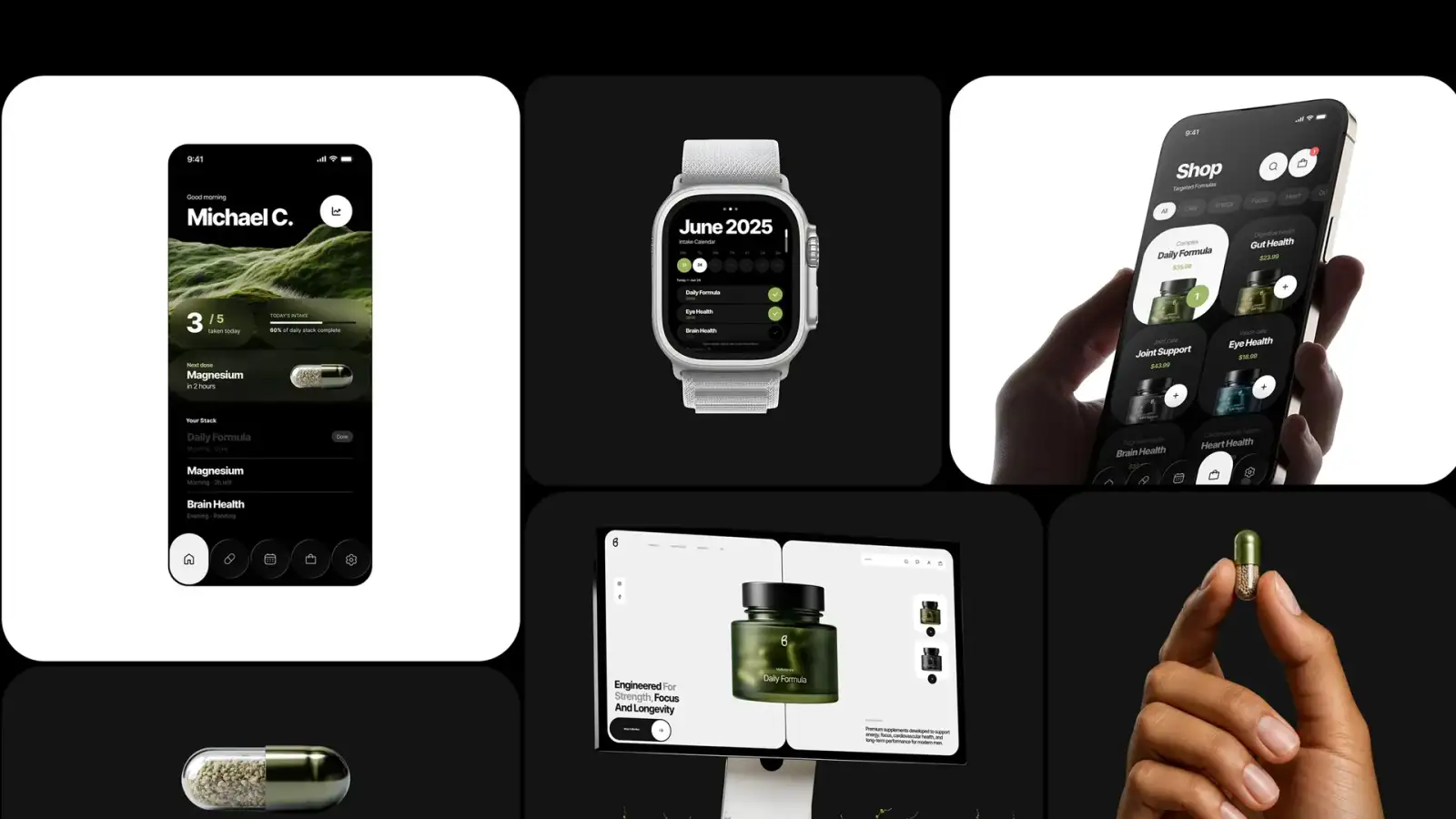
Strong UI design makes screens easier to scan, keeps familiar actions consistent and ensures that important content remains clear across desktop, tablet and mobile. Brand colors, typography, imagery and visual details are built into the interface without getting in the way of usability. Designers, developers and content teams can then use the same components and rules when creating future pages and features.

Visual Hierarchy

From competing elements to an obvious reading order

From competing elements to an obvious reading order

Typography, spacing, contrast and grouping make the screen easier to scan and understand.

Interface Consistency

From one-off controls to familiar patterns

From one-off controls to familiar patterns

Navigation, buttons, forms, cards and feedback follow repeatable rules across the experience.

Responsive Composition

From compressed desktop screens to intentional layouts

From compressed desktop screens to intentional layouts

Priority, density, touch targets and content order adapt to the available device space.

Brand Expression

From generic styling to a distinctive digital presence

From generic styling to a distinctive digital presence

Color, type, imagery, shape and motion communicate character without competing with usability.

UI Design Services

Visual interface design for websites, applications and commerce experiences.

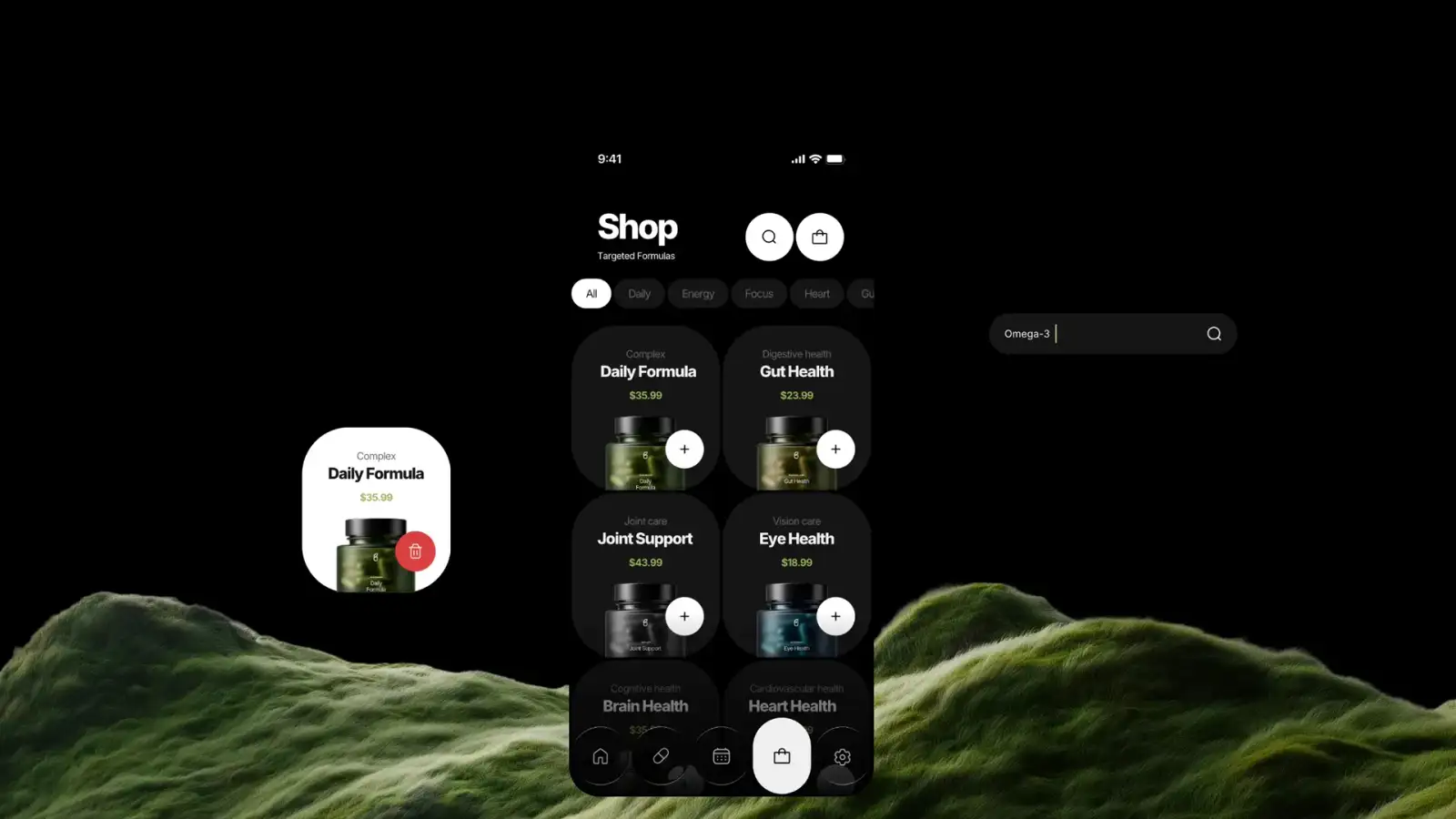
A good visual interface makes a website, app or online store appealing and more easier to use. It helps people understand where they are, what they can do and what step to take next. On a website, it presents information clearly and builds trust in the brand. In an application, it makes features and everyday tasks feel simple, even when the technology behind them is complex. 

User Interface Design08 / 08

Our End-to-End UI Design

Select the capability that matches the design decision your business needs to make.

Request a Quote
Visual Direction and Moodboards capability
01

Visual Direction and Moodboards

02

Responsive Website UI

03

Web Application UI

04

Mobile App UI

05

eCommerce Interface Design

eCommerce Interface Design capability
06

Component and State Design

07

Consistent Design Across Your Site

Consistent Design Across Your Site capability
08

Developer Handoff and UI QA

UI Design Process

Design an interface that works with real content on every device

UI work begins after the key journey and content priority are understood. We agree on the visual direction, apply it to the most important screens and then turn repeated elements into reusable components. Each design is checked across devices and interaction states before handoff. This keeps the system distinctive without making every page a special case.
Approve the system through its hardest screens

Confirm Experience and Content

Review users, flows, wireframes, brand material, content types, devices, accessibility needs and technical constraints.

Set the Visual Direction

Explore fonts, colors, imagery and overall style through a few sample directions to find the right look for your brand.

Design Priority Screens

Apply the direction to high-value and high-complexity screens, testing hierarchy, density and responsive behavior.

Turn your requirements into a clear interface your development team can build.

Build Components and States

Create reusable buttons, menus and page elements so every screen looks and behaves consistently.

Prototype Responsive Interaction

Validate key transitions, overlays, navigation and task flows across desktop, tablet and mobile.

Handoff and Review Implementation

Organize libraries, annotate behavior, export assets and conduct UI quality review during development.

How We Design Your Interface

Simple, proven tools — nothing you need to learn yourself

We design in Figma, which makes it easy for you to see work in progress and leave comments directly on the screens. Every design gets checked on an actual phone, tablet and desktop before it goes anywhere near development — not previewed on one screen and assumed to work everywhere else. Buttons, menus and forms are built once as reusable pieces, so the site looks the same everywhere and adding a page later doesn't mean starting from scratch. Before anything ships, we double-check that text is readable, colors have enough contrast, and someone using a keyboard or screen reader can still get around. None of this asks anything of you beyond reviewing what we send over.

Accessibility & Quality

Accessibility Standards

  • WCAG 2.2
  • Keyboard Review
  • Contrast Testing

Usability & Interaction

  • Interaction States
  • Touch Target Review
  • Responsive Behavior

Design Quality

  • UI Consistency Review
  • Cross-Device Review
  • Design QA

Interface Design & Prototyping

UI Design

  • Figma
  • Adobe XD
  • Sketch

Prototyping

  • Interactive Prototypes
  • Clickable User Flows
  • High-Fidelity Prototypes

Visual Design

  • Responsive UI Design
  • Mobile UI Design
  • Web Application UI Design

Design Systems & Components

Design Systems

  • Design Tokens
  • Component Libraries
  • Pattern Libraries

Interface Standards

  • Typography Systems
  • Color Systems
  • Spacing & Grid Systems

Component Design

  • Navigation Components
  • Forms & Input Controls
  • Reusable UI Components

Developer Handoff & Implementation

Design Handoff

  • Figma Dev Mode
  • Annotated Specifications
  • Asset Export

Responsive Specifications

  • Desktop Specifications
  • Tablet Specifications
  • Mobile Specifications

Implementation Support

  • Design-to-Code Review
  • Component Implementation Review
  • UI Acceptance Review
Why Influxive

We Design for Understanding, Not Decoration Alone

Customers should be able to look at a screen and quickly understand what matters, where to go and what to do next. We use typography, spacing, color and imagery to make that happen while giving the interface a clear visual identity. We design the interface around those decisions first, then express your brand with enough character to be memorable. The result is not a collection of fashionable screens. It is a visual language that helps your business look credible, makes important actions easy to recognize and remains consistent as new content is added.
Selected work

Success stories built for measurable growth

Case study 01

Task Management Website and Mobile App Development for Grapple Task Management System

A focused digital engagement designed to improve customer experience, operational performance and sustainable growth.

Grapple Task Management System
01/04

Looking for a dependable technology partner?

Start a conversation
Results That Matter

Business Outcomes and Measurement

  • Task CompletionAssess whether users can complete important tasks accurately and without unnecessary effort.
  • Journey ProgressionReview how effectively users move between key stages without confusion, hesitation or avoidable abandonment.
  • Accessibility FindingsTrack identified accessibility barriers and verify that agreed improvements work for people with different needs.
  • Support RequestsMonitor whether clearer journeys and interfaces reduce repeated questions and avoidable requests for assistance.
  • Design-System AdoptionMeasure how consistently teams reuse approved components, patterns and guidance across new product work.
  • Cross-Product ConsistencyCompare related products and channels to identify meaningful differences in navigation, terminology and interaction behavior.
  • Implementation QualityReview released interfaces against approved designs, responsive requirements, accessibility criteria and documented interaction states.
  • Time and EffortAssess how long important tasks take and where unnecessary steps increase effort for customers or employees.
  • Defects and ReworkTrack interface defects, repeated corrections and implementation rework to identify gaps in design and delivery.
Implementation Standards

Principles for Interfaces That Stay Useful

  1. Hierarchy Comes Before Style

    Every screen first establishes reading order, grouping and action priority; brand expression strengthens that structure.

  2. Components Serve Repeated Needs

    A pattern becomes reusable because the purpose repeats, not because every screen should look identical.

  3. States Are Part of the Design

    Loading, empty, error, success, disabled, hover, focus and selected conditions are designed alongside the ideal screen.

  4. Every Device Needs Thoughtful Layout

    Content may move, simplify or change priority on smaller screens. Mobile design is planned deliberately rather than treated as a reduced desktop layout.

  5. Accessibility Is Considered From the Start

    Contrast, type size, focus visibility, targets and motion choices are treated as design inputs.

  6. Implementation Is Reviewed

    The delivered interface is compared with the system across viewports and real content before design acceptance.

Multi-Market Design

UI Design for Brands Serving International Customers

Influxive AI Labs creates interfaces for small and growing businesses serving the United States, United Kingdom, Canada, Europe, Australia, the Middle East and India. Market differences may affect language length, reading direction, imagery, accessibility, device patterns and familiar commerce or form conventions. A shared design system keeps the brand consistent while allowing layouts and components to adapt to different languages, devices and customer expectations.

Serving Globally

North America

Europe

Middle East

Asia-Pacific

Australia & New Zealand

Influxive global delivery locationsA world map showing direct connections from Delhi NCR to primary commercial hubs.
Explore Services by Location

Global expertise, delivered locally.

USA
  • New York
  • San Francisco
  • Seattle
Canada
  • Toronto
  • Vancouver
United Kingdom
  • London
  • Manchester
  • Hamilton
France
  • Paris
Switzerland
  • Zürich
Sweden
  • Stockholm
Finland
  • Helsinki
India
  • Delhi NCR
Singapore
  • Singapore
Australia
  • Sydney
  • Melbourne
New Zealand
  • Auckland
UAE
  • Dubai
  • Abu Dhabi

Frequently Asked Questions

Everything you need to know before getting started.

Average response time

24 Hours

Project consultation

Free

Enterprise-ready

✓ Trusted Delivery

Accessibility considerations are included in decisions involving color contrast, text sizing, focus visibility, touch targets, form states, navigation and motion. The required depth depends on the product and agreed standard. UI design supports accessibility, while final compliance also depends on content, development and testing.

Yes. Handoff may include organized Figma files, reusable components, responsive layouts, interaction states, design tokens, annotated behavior and exported assets. We can also review the implemented interface across devices to identify material differences between the approved design and the working product.

Yes. We can extend existing brand guidelines into a usable digital interface system covering typography, color, spacing, components, states and responsive behavior. If the current guidelines do not address digital use clearly, we identify the additional decisions required without unnecessarily replacing the established brand direction.

Figma is our main design tool, and it is where you will review and comment on your designs. We keep the workflow simple so you are not expected to learn any design software yourself.

Yes. For a small business, we set up a simple, proportionate design guide covering your colors, fonts, buttons and layout rules — enough to keep every page consistent without creating extra work to maintain.

Yes. We design interfaces for iOS, Android and cross-platform applications, taking account of platform conventions, navigation, gestures, safe areas, accessibility, offline or error states and the product’s brand language.
Yes. Desktop, tablet and mobile behavior is planned together. We decide how hierarchy, spacing, navigation, cards, forms and calls to action should adapt rather than simply stacking the desktop layout on smaller screens.
UI design timing depends on the number of unique screens, responsive requirements, content readiness, interaction states, design-system depth, feedback cycles and stakeholder approvals. A focused interface refresh requires less effort than a complete application or multi-product design system. Discovery defines the stages, dependencies and realistic milestones before design begins.
Cost depends on screen count, responsive variants, product complexity, component reuse, interaction states, design-system depth, prototype needs and handoff support. We scope around unique patterns and important journeys rather than charging as though every screen must be designed independently.
Yes, when the underlying journeys and functionality remain suitable. We review current flows and technical constraints before changing the visual system. If deeper usability problems appear, we identify them separately rather than hiding them behind a cosmetic redesign.
Make every screen feel intentional

Create an Interface Customers Instantly Understand

Show us what feels dated, inconsistent or difficult to use. We will help you redesign the important screens and create clear interface rules your team can continue using.

Start Your Digital Journey

If your organization depends on digital platforms for operations, communication, and compliance readiness, it is worth discussing how those systems are structured.

5.0(250 reviews)
Trusted Standards

Industry Recognition & Technology Excellence

Influxive AI Labs is committed to delivering secure, scalable, and high-level digital solutions that align with global quality standards, governance principles, and technology best practices. Our focus on continuous improvement and innovation helps organizations build reliable digital systems with confidence.
Stevie
belfast
clutch
google
juniper
learning
meta
microsoft
rating
shopify
women
Stevie
belfast
clutch
google
juniper
learning
meta
microsoft
rating
shopify
women
LET'S BUILD THE FUTURE TOGETHER
Head Office

Influxive AI Labs Private Limited
New Delhi NCR, India
Business Hours

Monday – Friday
9:00 AM – 6:00 PM (IST)
  Contact

Sales
sales@influxive.com
Phone

India
+91 98106 70506